The Ultimate Setup Guide for Your Eos R
Introduction
The Eos R is a full-frame mirrorless camera that many photographers and videographers choose as a first step into the RF lens ecosystem or as a versatile all‑round body for professional and enthusiast use. This guide walks through the practical, real‑world setup and configuration of the Eos R, giving clear recommendations for people who shoot portraits, weddings, travel, landscapes, and video. It focuses on what buyers typically care about: image quality, autofocus performance, battery life, lens choices, and workflow. The goal is to get a working, reliable camera system ready for a shoot and to explain the tradeoffs so readers can make informed decisions.
Quick Overview: What the Eos R Brings to the Table
The Eos R combines a high-resolution full‑frame sensor with Canon’s Dual Pixel autofocus technology and the new RF mount. It appeals to photographers who want strong color rendition, reliable subject tracking, and straightforward ergonomics. Key practical attributes to be aware of before diving into setups are the sensor resolution, autofocus strengths, the RF lens advantages (and cost), the absence of in-body stabilization on early models, and a single high‑speed card slot. These factors influence how one configures the camera and what accessories one should prioritize.
Detailed Product Review and Practical Analysis
Design and Handling
Ergonomically the Eos R is built to feel familiar to DSLR shooters while being compact enough for travel. The grip is comfortable for extended hand‑held work, and the button layout supports quick access to frequently used controls. The vari-angle touchscreen is a strong practical advantage for low-angle shooting and vlogging-style setups.
Image Quality and Sensor
With a high-resolution full‑frame sensor, the Eos R delivers images with excellent detail and Canon’s characteristic color science. For portrait and landscape shooters, the sensor provides a balance of resolution and dynamic range that performs well across a variety of lighting conditions. Photographers who frequently push ISO values will appreciate Dual Pixel autofocus that maintains good focusing performance in low light, though noise performance will still be subject to the limitations of any compact full‑frame sensor.
Autofocus System
Dual Pixel CMOS AF is a major highlight. Face and eye detection are reliable for stills and remain useful during video. For wedding photographers and event shooters, the tracking and subject recognition reduce the number of missed shots in fast, unpredictable situations. However, like any AF system, performance depends on firmware, lens behavior, and shooting mode; firmware updates and quality RF or adapted EF glass can materially improve everyday AF results.
Lens Ecosystem
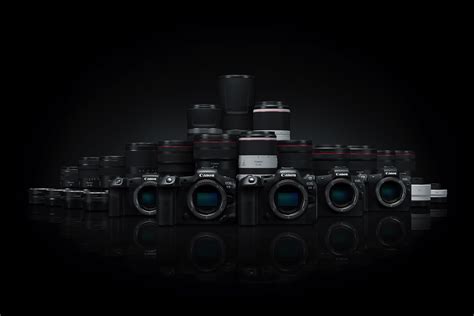
The RF mount introduces a new class of lenses with short flange distance and optical designs optimized for mirrorless. RF glass tends to be sharp with modern optical stabilization built into many lenses. Buyers typically weigh the cost of RF glass against the flexibility of adapting existing EF lenses using Canon’s adapters — which preserve AF and communication with legacy lenses — making the system attractive for photographers with EF collections.
Video Capabilities
For hybrid shooters, the Eos R is capable of high-quality 4K capture, but some limitations (such as crop factors or frame-rate ceilings on certain modes) are important to understand when planning professional video shoots. The vari-angle screen and decent autofocus in movie mode make run-and-gun work practical, though serious filmmakers may want external audio, cages, and monitoring solutions to complete a robust video rig.
Battery Life and Storage
Battery life is adequate for a day of casual shooting, but heavy event or video use will require spares. The single SD card slot simplifies media handling but raises concerns for professionals who demand redundant writes. For that group, a workflow that includes immediate backup to a laptop or off‑camera backup device is essential.
Looking for the best Electronics deals on Amazon?
Shop Amazon →Essential First Steps: Out-of-the-Box Setup
- Charge a couple of batteries fully — the camera will perform better with fresh cells and firmware-related calibration complete.
- Format the memory card in-camera to avoid file system issues and confirm the card speed meets the shoot requirements (UHS-II recommended for high bitrate video and long continuous bursts).
- Update firmware before critical shoots. Canon periodically improves autofocus, connectivity, and compatibility via firmware updates.
- Set date, time, and timezone — useful for file management and multi-camera events where synchronization matters.
- Choose a RAW+JPEG or RAW only workflow. RAW provides maximum editing flexibility; RAW+JPEG provides quick previews for clients.
- Customize physical controls (C1/C2 modes, custom buttons, and the multi‑function bar) so the most-used functions are one-press away.
Recommended Camera Settings by Use Case
Portraits
Suggested workflow: Aperture Priority with Auto-ISO. Set the desired aperture for subject separation (f/1.8–f/4 depending on lens), and let the camera manage exposure. Enable Face + Eye AF for consistent focusing. Choose RAW for delivery flexibility.
Weddings and Events
Suggested workflow: Manual or Aperture Priority with back-button focus. Use dual battery strategy and multiple cards. Program two custom modes: one tuned for available-light ceremony (wide aperture, higher ISO ceiling) and another for reception/action shots (faster shutter speeds, servo AF). Consider a second body as backup or set up an immediate tethered backup to a laptop.
Landscape and Travel
Suggested workflow: Manual mode, ISO 100, tripod use when possible. Use mirrorless features like live histogram and focus peaking if available for critical focus stacking. For long exposures, use a remote or self-timer to minimize shake. Consider packing compact RF primes for weight savings, or adapt EF wide-angle classics if already owned.
Video / Vlogging
Suggested workflow: Use Movie mode with frame rate and shutter set according to the 180-degree rule (shutter speed ~ double frame rate). Engage Movie Servo AF and touch AF where appropriate. Use an external microphone and consider an ND filter for maintaining shallow depth of field in bright environments. Be mindful of any crop applied in specific 4K modes and test for overheating or runtime limits prior to a critical shoot.
Practical Customizations and Tips
- Back‑button focus: Reassign AF to the AF‑ON button to separate focus from the shutter for fast action sequences and better control.
- Dial lock and quick controls: Lock frequently used dials or use custom quick menus to avoid accidental changes during shoots.
- Set exposure preview and histogram: Enable exposure simulation and a histogram on the rear screen to assess exposure immediately.
- AF area presets: Configure and save AF area shapes for single-point, zone, and tracking depending on the subject type.
- Use adapters smartly: EF-to-RF adapters enable the reuse of expensive legacy lenses and preserve functionality for niche optics.
Accessories to Consider (Real-World Priorities)
- Extra batteries and a dual charger for long days on location.
- High-speed UHS-II SD cards to support long continuous bursts and 4K video.
- An external microphone and a windscreen for better audio in interviews or run-and-gun video.
- A reliable tripod and head for landscapes and long exposures.
- A quality camera strap and protective case to keep the system secure while traveling.
- Optional lens adapters to expand lens choices and reduce investment in new glass.
Pros & Cons
- Pros
- Excellent image quality from a full-frame sensor and Canon color science.
- Reliable Dual Pixel autofocus with strong face/eye detection for stills and video.
- Comfortable ergonomics and a useful vari-angle touchscreen for flexible shooting angles.
- RF mount promises high-performance optics and forward-looking system expansion.
- Strong hybrid capability — usable for both stills and video with appropriate accessories.
- Cons
- No in-body image stabilization on the original model — stabilization depends on lenses.
- Single card slot may concern professionals who want immediate redundancy.
- Battery life can be limiting on long video or all‑day event shoots without spares.
- RF lenses can be expensive; the full RF ecosystem requires investment or reliance on adapters.
- Some 4K modes may include a crop or frame‑rate limitations compared to newer bodies.
Comparison Table: Where Eos R Fits in the Market
The table below compares the Eos R with several commonly considered alternatives. This helps readers decide which platform best matches their priorities.
| Model | Sensor / Resolution | IBIS | Autofocus Highlights | Card Slots | Best For |
|---|---|---|---|---|---|
| Eos R | Full-frame, ~30MP | No (lens stabilization) | Dual Pixel AF, face/eye detect | Single SD (UHS-II) | Hybrid shooters who want full-frame image quality and RF ecosystem entry |
| Entry full-frame alternative | Lower resolution, lighter | Some models: No / Limited | Good AF, simplified ergonomics | Often single slot | Budget-conscious travelers |
| Higher-end mirrorless alternative | Similar/higher resolution | Yes (IBIS) | Advanced AF + higher FPS | Dual slots | Professionals needing redundancy and low-light advantage |
Buying Guide: What to Prioritize
When deciding whether the Eos R is the right purchase, buyers typically evaluate four areas: lenses, budget, intended use, and long-term upgrade path. Here are practical pointers to help prioritize.
Lenses and Glass
Lenses matter more than camera bodies for image quality and creative control. If a buyer already owns EF glass, the RF adapter makes the Eos R attractive because it lets one keep existing lenses while gaining the benefits of the RF mount. If starting fresh, consider which focal lengths are most used in the intended work and prioritize primes or stabilized zooms that match those needs.
Discover deals on Electronics — updated daily.
Shop Amazon →Work Type: Stills vs. Video vs. Hybrid
For photographers whose work is mostly stills (portraits, landscapes, weddings), the Eos R offers excellent image quality and autofocus. For video-first creators, evaluate frame rate needs and whether the camera’s video limitations (crop, frame-rate caps) are acceptable. Hybrid shooters will appreciate the vari-angle screen and good AF performance, but should budget for audio and stabilization accessories.
Backup and Redundancy
Professionals who cannot afford file loss should plan for redundancy through workflows—carry multiple card spares, use tethered shooting with immediate backups, or employ portable backup devices. The single card slot on the Eos R elevates the importance of this planning.
Budget and Future-Proofing
Decide whether to invest in RF glass now or use adapters while gradually expanding the RF lens lineup. Consider the resale value of the body and lenses as part of the total cost. For many, buying a quality lens is a longer-term investment than the camera body.
Accessories Checklist
- At least two spare batteries and a charger.
- Fast SD cards (UHS-II) and a separate card reader for backups.
- Protective case, rain cover, and a comfortable strap.
- External microphone and wind protection for field audio.
- Optional gimbal or stabilized lenses if the user wants smooth moving shots without IBIS.
Maintenance and Workflow Tips
Keep firmware up to date, clean contacts on lenses and camera mount before attaching glass, and periodically check shutter count and card health. For workflow, establish a routine: offload cards at the end of each day, verify files open before erasing media, and archive projects with at least two copies (one local, one offsite). These habits reduce the risk of data loss and keep the Eos R ready for the next assignment.
Conclusion
The Eos R is a compelling camera for photographers and hybrid creators who value image quality, reliable autofocus, and access to Canon’s growing RF lens lineup. Its strengths are evident in portraits, landscapes, and event photography, while buyers who need in-body stabilization or dual-card redundancy will want to plan accordingly or consider different models. By following the setup steps and configuration suggestions outlined here—updating firmware, customizing controls, packing the right accessories, and establishing a robust backup workflow—users can get the most from their Eos R in real-world shooting scenarios. With thoughtful lens choices and a sensible accessory kit, the Eos R can serve as a robust platform for many years of creative work.